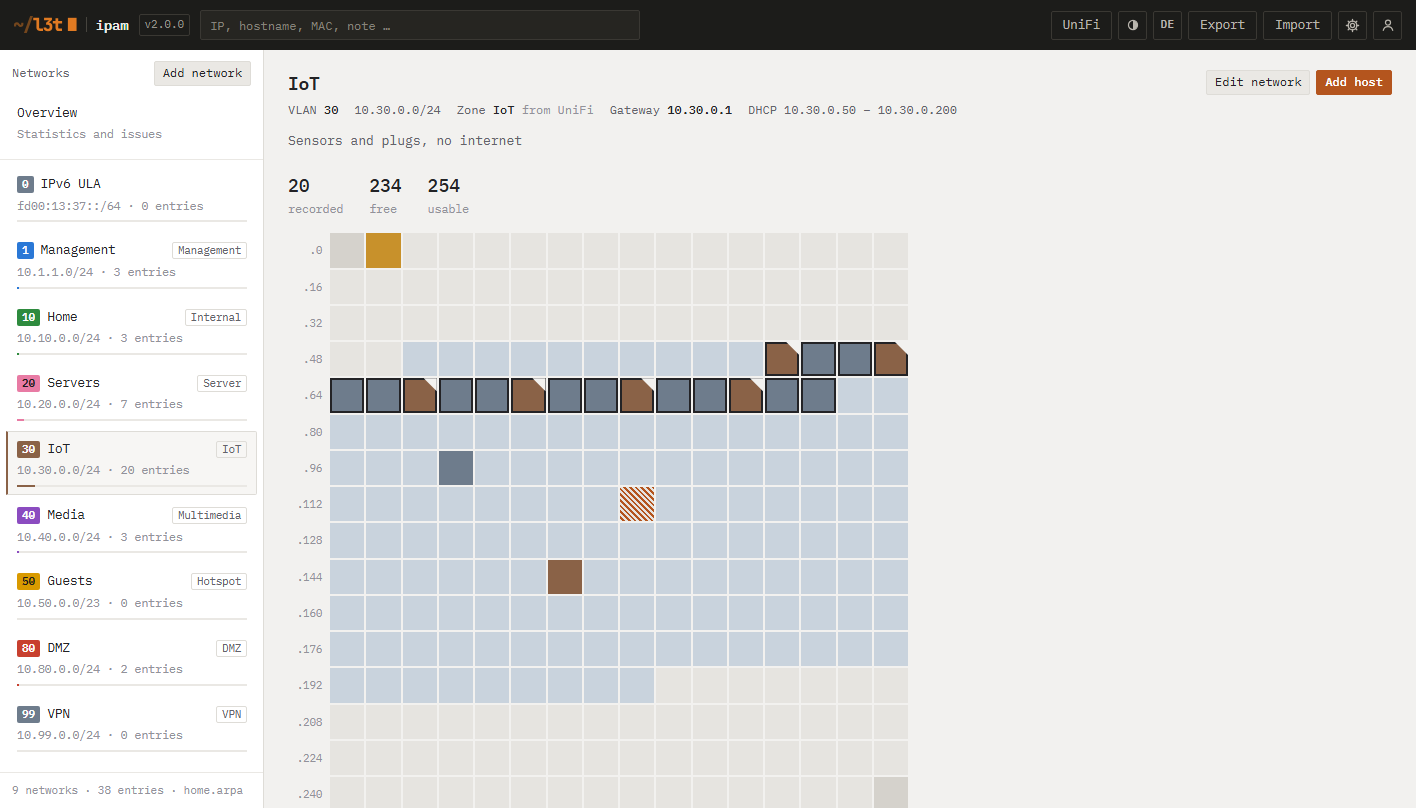
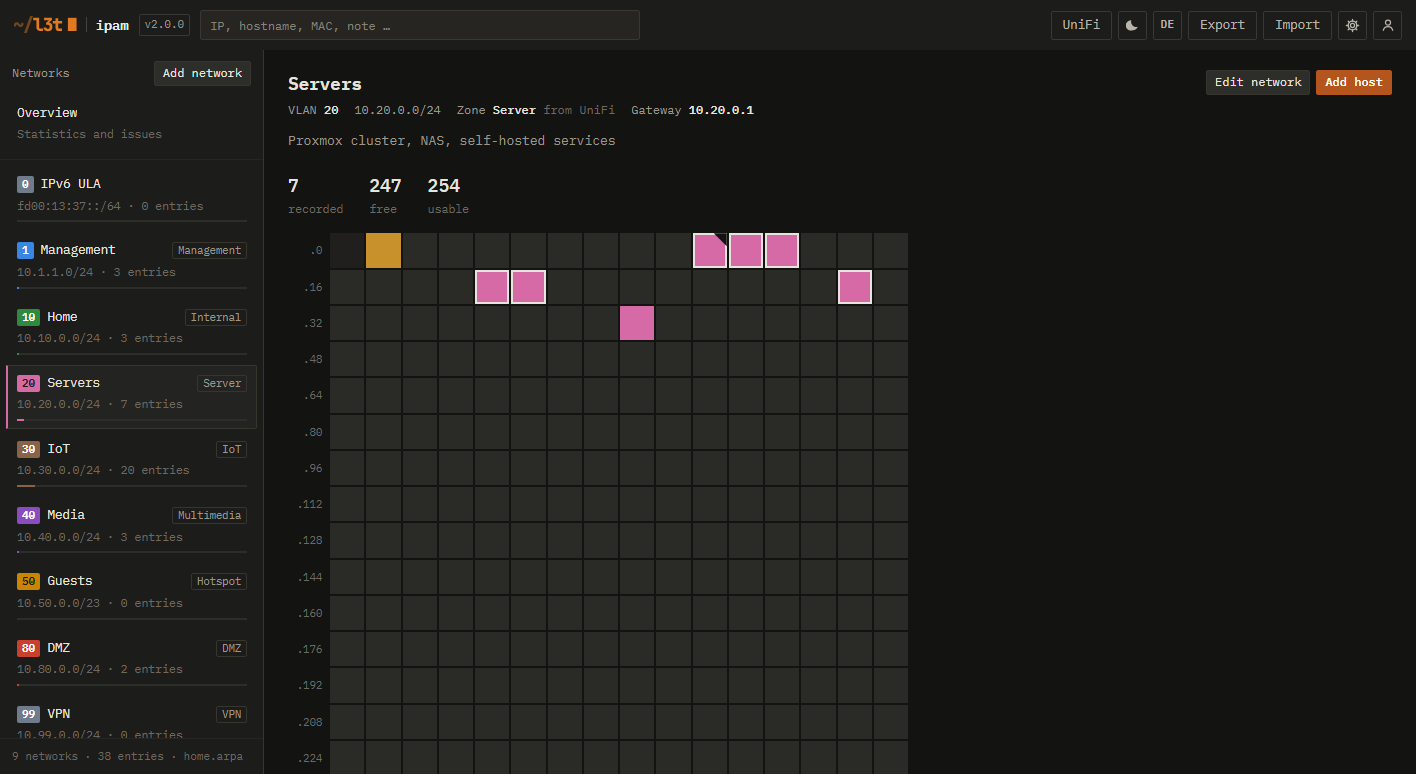
Address grid
Every address of a subnet as a cell: static, reserved, DHCP lease, gateway, free. Click a free one to document it.
Self-hosted IPAM for home labs
L3T IPAM documents your VLANs, subnets and hosts — and checks them against your UniFi controller, so the spreadsheet never lies again.
docker compose up -d
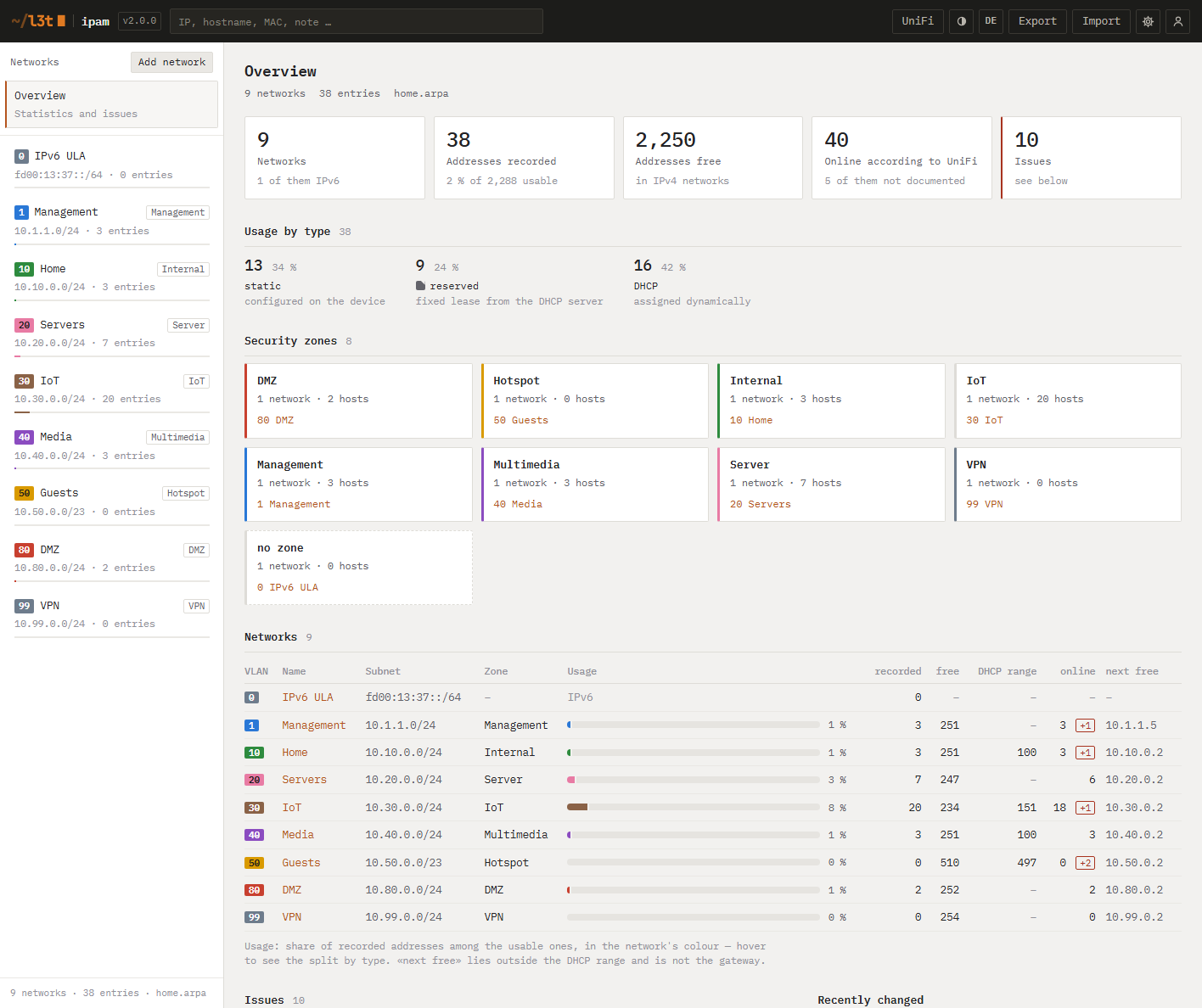
Built for people who run more VLANs than rooms — and want to know what's on them.
Every address of a subnet as a cell: static, reserved, DHCP lease, gateway, free. Click a free one to document it.
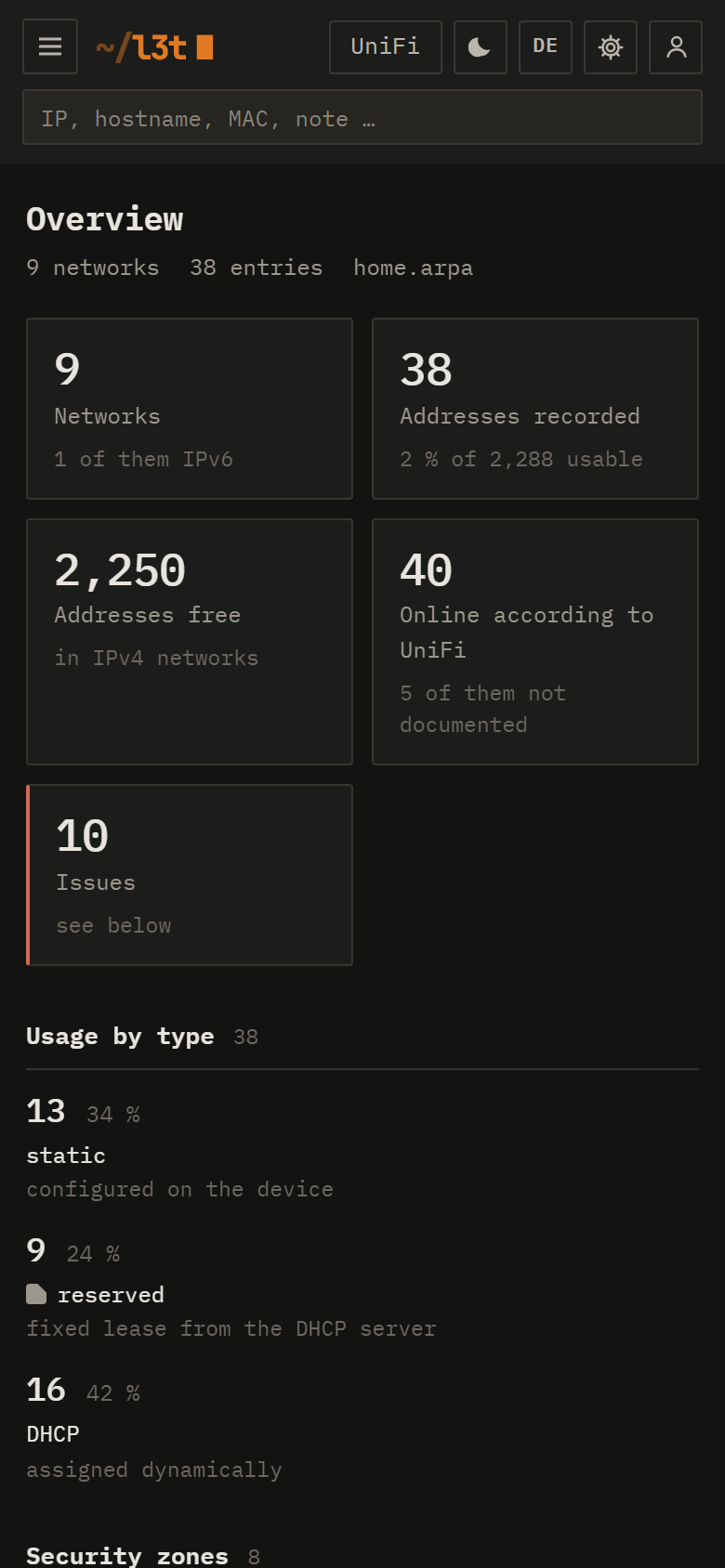
Networks, fixed-IP reservations, devices, clients and firewall zones — compared with your documentation. You approve every change.
Static addresses inside the DHCP range, duplicate MACs, overlapping subnets, hosts that left months ago.
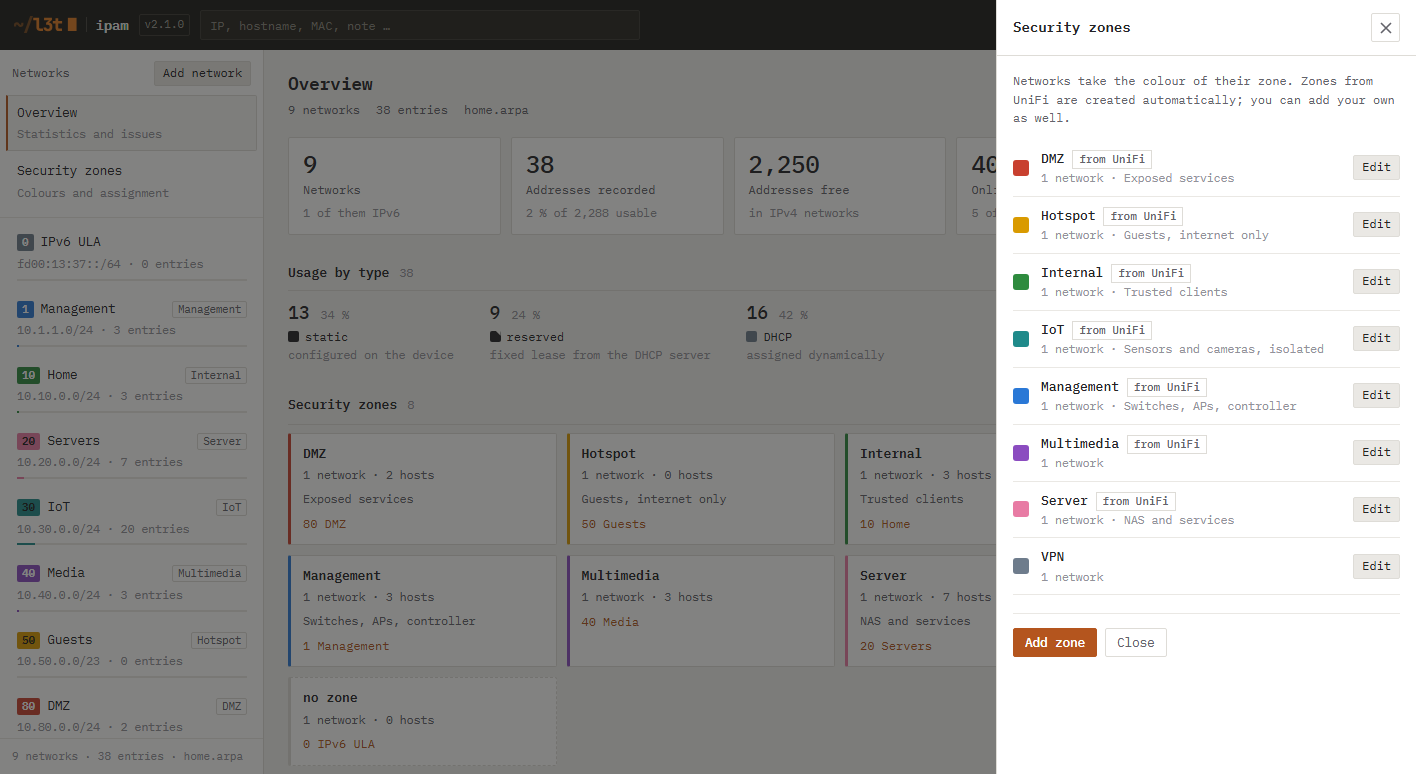
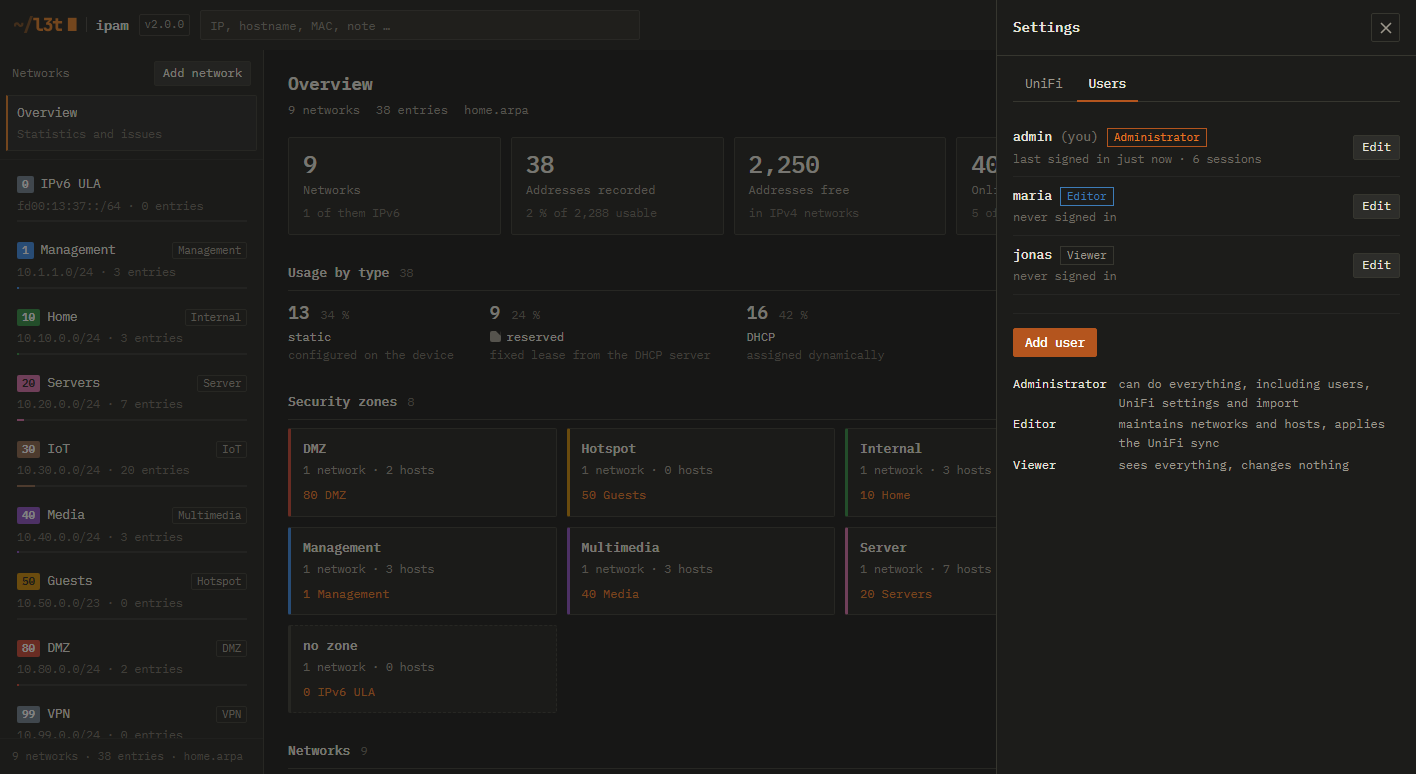
Zones from UniFi are created for you, your own ones too. Pick a colour per zone — every network wears it. DMZ is red. You'll notice.
Administrator, Editor, Viewer. Built-in login — no extra auth proxy needed in front of it.
Remove devices UniFi hasn't seen for weeks — manually or on a schedule, with safeguards and a backup first.
Colours follow the network's security zone. Shapes tell you the rest — and with UniFi connected, you see what's online and what's answering without being documented.
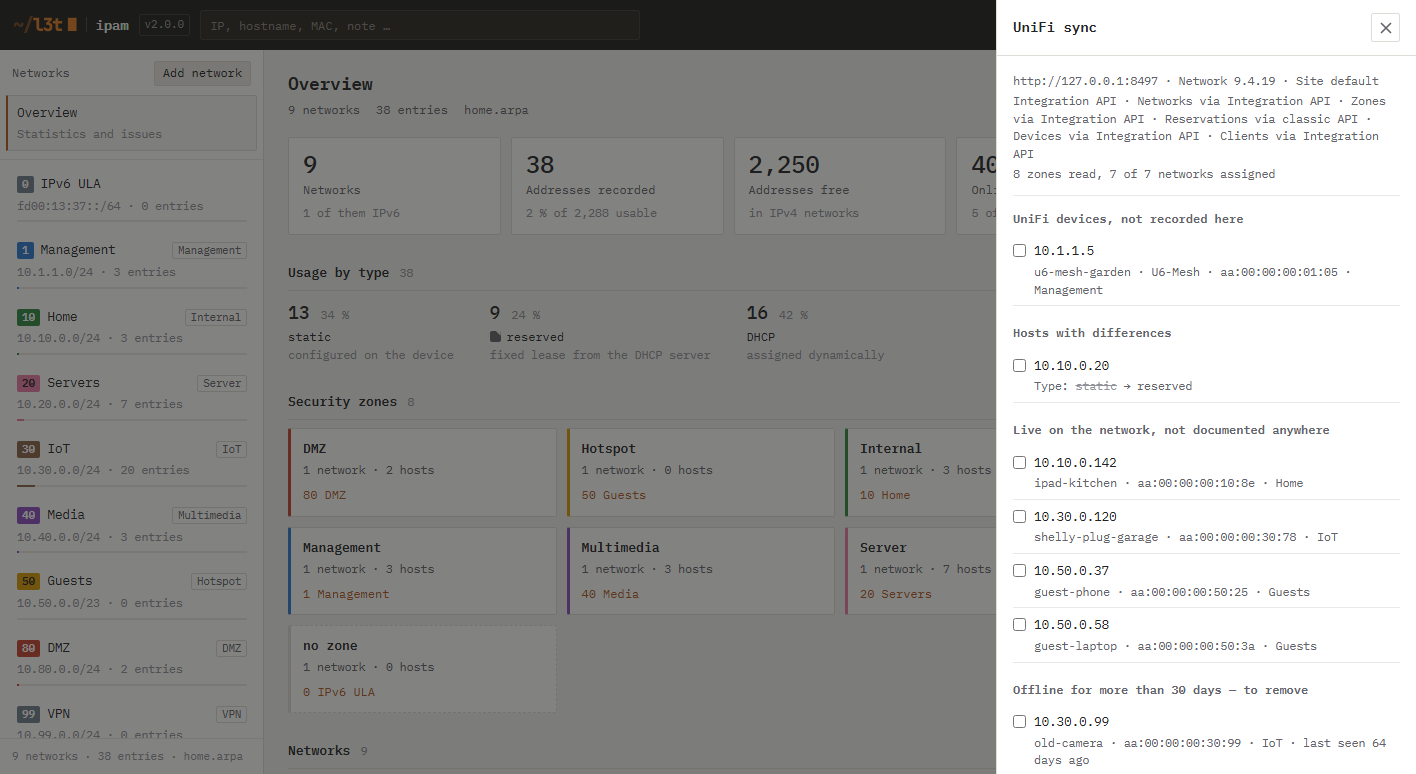
Works with UniFi
L3T IPAM reads your UniFi controller through the official Integration API and shows what differs from your documentation — new devices, changed MACs, stale reservations. Nothing is applied until you say so.
Networks take the colour of their security zone — everywhere: sidebar, grid, overview. Always labelled, so colour is never the only cue.
Designed to sit behind a Cloudflare Tunnel or reverse proxy — with its own login, so you don't need another layer in front.
Any Docker host works: Linux, Unraid, Proxmox, a Raspberry Pi — or a Synology.
services:
  l3t-ipam:
    image: ghcr.io/l3t-io/ipam:2
    container_name: l3t-ipam
    restart: unless-stopped
    ports:
      - "8080:8080"
    volumes:
      - ./data:/data
    environment:
      PUID: "1000"
      PGID: "1000"
      IPAM_DOMAIN: home.arpa
docker compose up -ddocker compose logs l3t-ipamSynology users: there's a step-by-step guide in the repository. Data lives in ./data as plain JSON with daily backups.
No paid tier, no tracking, no account. If L3T IPAM saves you an evening, a coffee keeps it going.